

The moment you open your second store, your SOPs stop being documents and start being a distribution problem. The tagging rule that lived in your first shop's owner's head now has to travel across town, get taught to someone you didn't hire, and survive a Saturday rush without you standing there. That's where most multi-location dry cleaners quietly lose the quality that built the first store.
What tends to happen is not dramatic. It's slow drift. Store 2 starts pre-treating collars differently because the manager there "always did it that way." Store 3 skips the second garment count on drop-off because they're short-staffed on Tuesdays. Six months later you've got three shops running three slightly different operations, and when a claim comes in you honestly can't say which version of the SOP was in force that week.
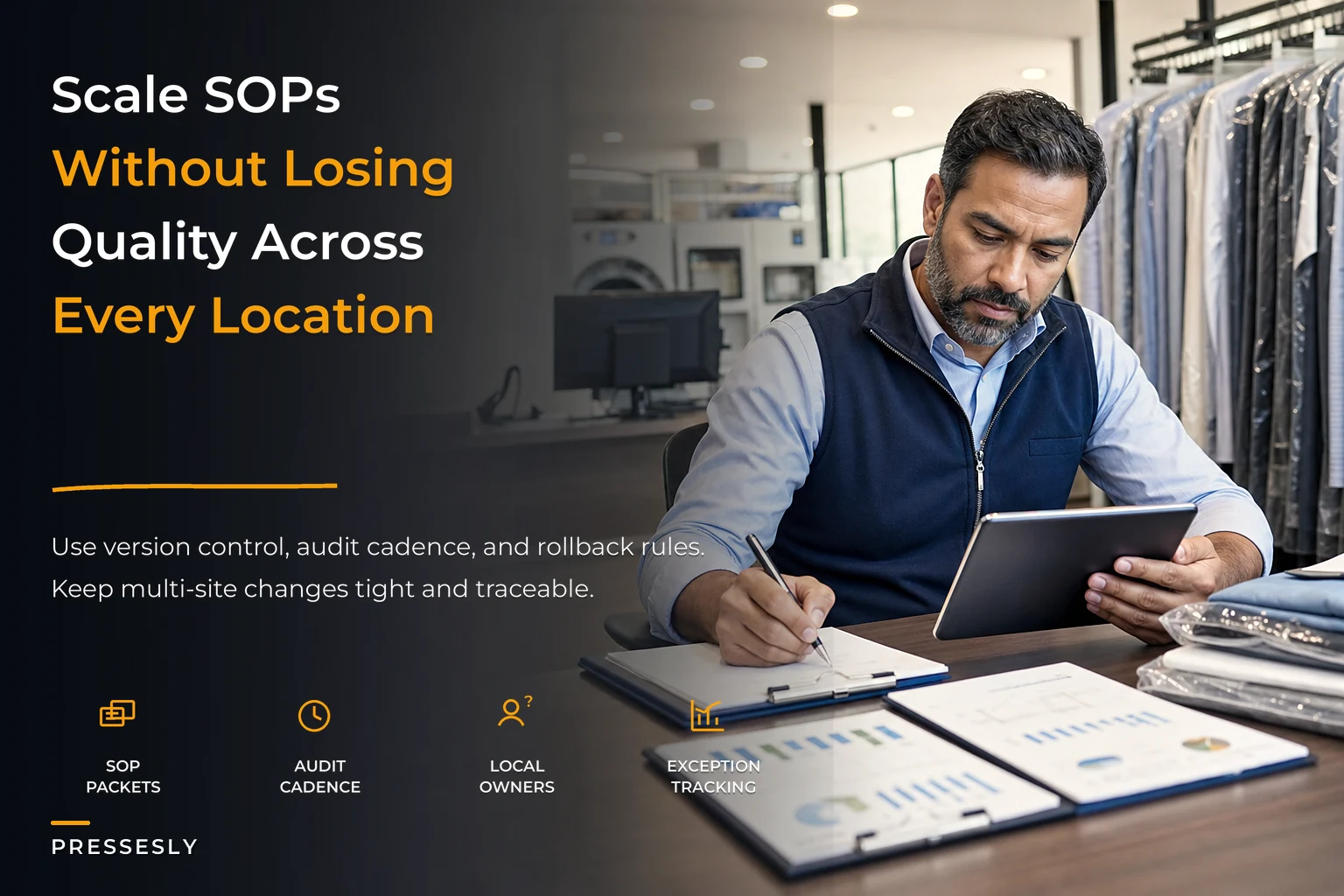
This article is about the governance layer that sits above your individual SOPs — how you package them, version them, allow controlled local adjustments, audit them on a rhythm, and roll changes out (or back) without breaking a busy floor. If you've already tightened your defect handling with something like a lightweight QMS, this is the connective tissue that makes those standards hold across a whole network instead of one shop.
Why standards drift the second you can't see the floor
At a single location, your SOP enforcement mechanism is you walking around. You correct things in real time. Nobody writes that down because nobody needs to. The problem is that this correction habit doesn't scale, and most owners don't realize how much of their quality was riding on physical presence until they're splitting their week across sites.
There are three predictable failure points as a multi-site operation grows:
-
The "which version?" problem. You email an updated pressing standard. Store 1 prints it. Store 2 saves it somewhere. Store 3 never opens the email. Now three versions coexist and nobody knows the canonical one.
-
The silent local fork. A manager adapts a procedure to their equipment or space — often reasonable — but there's no record of the change, no approval, and no way to tell an intentional adaptation from a mistake.
-
The audit vacuum. Nobody checks whether the written SOP matches what actually happens on the floor. The document says one thing, the shift does another, and the gap only surfaces after a customer complaint or an insurance dispute.
Most quality loss at scale isn't caused by bad SOPs. It's caused by ungoverned good SOPs. The content is fine. The distribution, versioning, and enforcement are what break.
Package SOPs so a new store can actually use them
Long SOP binders don't fail because the information is wrong. They fail because a stressed presser at 8am won't read three paragraphs to remember one step. Packaging matters more than completeness.
Never lose track of an order again.
Pressesly helps you manage, track, and communicate every garment order seamlessly.
- Unified order management
- Real-time customer notifications
- Staff scheduling & workload tracking
No credit card required
What works across busy shops is a two-layer structure for every procedure:
-
The floor card — the one-page (or one-screen) version. Steps, thresholds, and the one photo that removes ambiguity. This lives at the workstation.
-
The reference doc — the full context
why the step exists, edge cases, escalation paths, and change history. Managers use this; line staff rarely need it.
Every SOP package should carry a small header block that makes governance possible at a glance:
| Field | Example | Why it matters |
|---|---|---|
| SOP ID | INTAKE-04 | Lets you reference it without ambiguity |
| Version | v3.2 | Kills the "which version" problem |
| Effective date | 2024-09-01 | Tells you what was in force during any incident |
| Owner | Ops Lead | One accountable person, not "management" |
| Local variants allowed? | Yes — equipment only | Sets the boundary for adaptation |
| Last audited | 2024-10-15 | Surfaces stale procedures fast |
That header is boring, and it's the single most valuable thing you can add. When a garment gets damaged and a corporate client asks what procedure was followed, you can point to exactly which version and variant applied on that date. Without it, you're guessing.
Lightweight version control without enterprise software
You don't need a formal document-management suite. You need discipline around three things: a single source of truth, a visible version number, and a changelog.
The pattern that holds up in real shops: every SOP lives in one place that everyone reads from — not a printout that gets stale, but a live reference each store pulls from. Printouts are fine on the floor, but they must show the version number so anyone can check whether the card at the station matches the current standard. If the numbers don't match, the card is trash.
-
Major version (v3 → v4) — a real procedural change. Requires retraining and a rollout.
-
Minor version (v3.1 → v3.2) — a clarification, a better photo, a threshold tweak. No retraining, just a note.
And a changelog that anyone can skim in under a minute:
-
v3.2 — added photo for acceptable vs. unacceptable collar pre-treat -
v3.1 — clarifiedhold-for-inspection applies to silk and rayon only
-
v3.0 — new second-count step at drop-off (see rollout note 09/01)
People treat version control like paperwork. It's not. It's the thing that lets you say, with confidence, "the correct procedure was in force and followed" — which is exactly what you need when a claim, an audit, or a corporate SLA review lands on your desk.
Local adaptation rules: allow the right changes, block the wrong ones
There's a real tension here. If your SOPs are too rigid, good managers get frustrated and quietly ignore them. If they're a free-for-all, you've got five shops running five different operations. The answer is bounded adaptation — deciding in advance which parts of a procedure a location can adjust and which parts are locked.
A useful way to sort it:
-
Locked (never adapt locally) anything tied to garment safety, customer promises, claims evidence, or compliance. Solvent handling, stain-test protocols, intake photo standards, damage disclosure. These are network-wide, no exceptions.
-
Adaptable with approval workflow sequencing that depends on floor layout, equipment models, or staffing patterns. A store with a different press might sequence finishing differently — fine, if it's approved and documented.
-
Fully local things that don't affect the customer or the garment. Break rotation, rack assignments, opening checklist order.
An undocumented local adaptation is indistinguishable from a violation. If a manager changes something and runs it through an approval path, that's useful operational intelligence — you might even roll it network-wide later. If they change it silently, you've lost the ability to trust your own standards. The rule isn't "no local changes." It's "no invisible local changes."
This connects directly to how work moves across a shop. If you've already mapped your work-cell layouts and quality gates, those layouts are exactly the kind of thing that should be adaptable per location — while the quality gates themselves stay locked.
Audit cadence: checking the floor matches the paper
Writing an SOP and never auditing it is like installing a smoke detector and pulling the battery. The document decays into fiction. But over-auditing burns out managers and turns quality into a compliance theater exercise. The trick is a cadence — different checks at different frequencies, matched to how much damage the failure causes.
A cadence that works for most multi-site operations:
-
Daily (fast, self-check) 2–3 critical items per station. Did intake photos get taken? Was the second count done? Takes under two minutes, done by the shift lead.
-
Weekly (manager spot-check) a rotating sample. Pull 10–15 completed orders and check them against the SOP. Different focus each week so you're not always looking at the same step.
-
Monthly (cross-store) managers audit each other's stores, or the ops lead rotates through. This is where drift between locations shows up — the same SOP, executed three different ways.
-
Quarterly (governance review) which SOPs are stale, which local variants should be promoted or killed, which procedures generated the most exceptions.
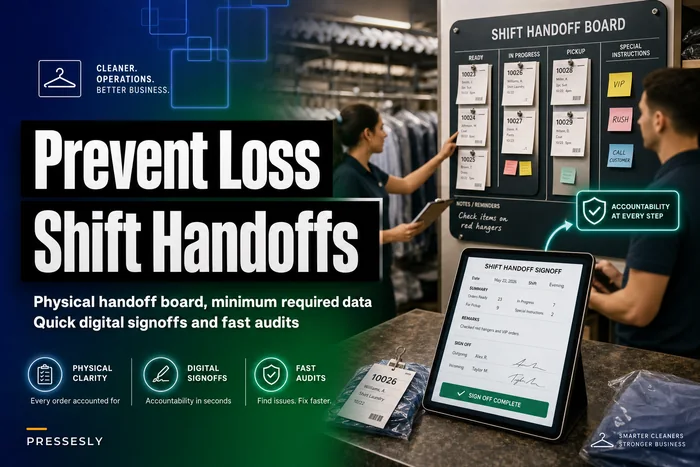
Cross-store auditing is the part most owners skip, and it's probably the most valuable piece of the whole system. When Store 2's manager audits Store 3, they immediately notice the fork you'd never catch from a spreadsheet — "wait, you're not doing the collar check?" That peer visibility does more for consistency than any memo. It's the same logic behind tightening cross-shift handoffs: the failures live in the gaps between people, and you only see them when someone from outside looks.
A simple audit scorecard
| Area | Weight | Score (0–5) | Weighted |
|---|---|---|---|
| Intake photos & counts | 25% | 4 | 1.00 |
| Stain-test compliance | 20% | 5 | 1.00 |
| Finishing to standard | 20% | 3 | 0.60 |
| Handoff / tagging accuracy | 20% | 4 | 0.80 |
| Compliance & safety | 15% | 5 | 0.75 |
| **Total | 4.15 / 5 |
The number itself matters less than the trend and the spread between stores. A network where every store scores in a similar range is healthy. A network where stores range from 3.2 to 4.8 has a governance problem, not a talent problem — the low store usually just never got the current version or never got retrained after a rollout.
The central exception dashboard
Audits tell you what's happening on a schedule. Exceptions tell you what's happening right now — and that's usually where the real signal lives. An exception is any moment a procedure couldn't be followed as written: a garment held because the stain test was inconclusive, a rush order that skipped a gate, a variant applied without approval, a re-clean.
Funnel these into one view instead of letting them die in each store's back office. When you can see exceptions across all sites at once, patterns show up that no single manager could catch:
-
Store 3 logs four times the "held for inspection" exceptions of the others — either they're being over-cautious, or their intake screening is actually catching things the other stores miss.
-
The same SOP generates exceptions at every location right after a rollout — the SOP is the problem, not the stores.
-
One store shows almost zero exceptions — which usually means they're not logging them, not that they're running a perfect operation. Suspiciously clean data is a red flag.
This is where operational software earns its place. Not as a magic fix, but as the thing that quietly aggregates exceptions from every location, timestamps them against the SOP version in force, and surfaces patterns you'd otherwise only notice after a bad quarter. When intake data, exception logs, and version history live in one system, AI-assisted monitoring can flag that three stores are drifting on the same step before it becomes a claim. The real value is that a small owner-operator gets network-wide visibility without needing a full-time quality manager reading every store's logs by hand.
Rollout and rollback controls
Pushing an SOP change to a live network of shops is the moment most quality damage actually happens — not from the change itself, but from a messy change. Half the stores adopt it, half don't, nobody's sure which version is live, and the floor gets confused mid-shift.
A controlled rollout looks like this:
-
Pilot one store. Run the new version at a single location for one to two weeks. This store knows it's piloting and logs exceptions aggressively.
-
Review the pilot exceptions. Did the new step create confusion, slowdowns, or errors? Adjust the SOP before it goes wide.
-
Set a hard effective date. Every store switches on the same day. Not "sometime this month" — a specific date. Old cards get pulled and destroyed.
-
Confirm retraining. For major versions, each store signs off that staff were trained. No sign-off, no rollout for that location.
-
Watch the first week closely. Elevated audit frequency at every store for the first seven days after go-live.
And the part almost nobody builds — a rollback trigger. Decide in advance what failure looks like. For example: if re-cleans jump more than 15% in the pilot store, or if two or more stores can't execute the step cleanly in week one, revert to the previous version.
A quick visual of that rollout and rollback workflow.
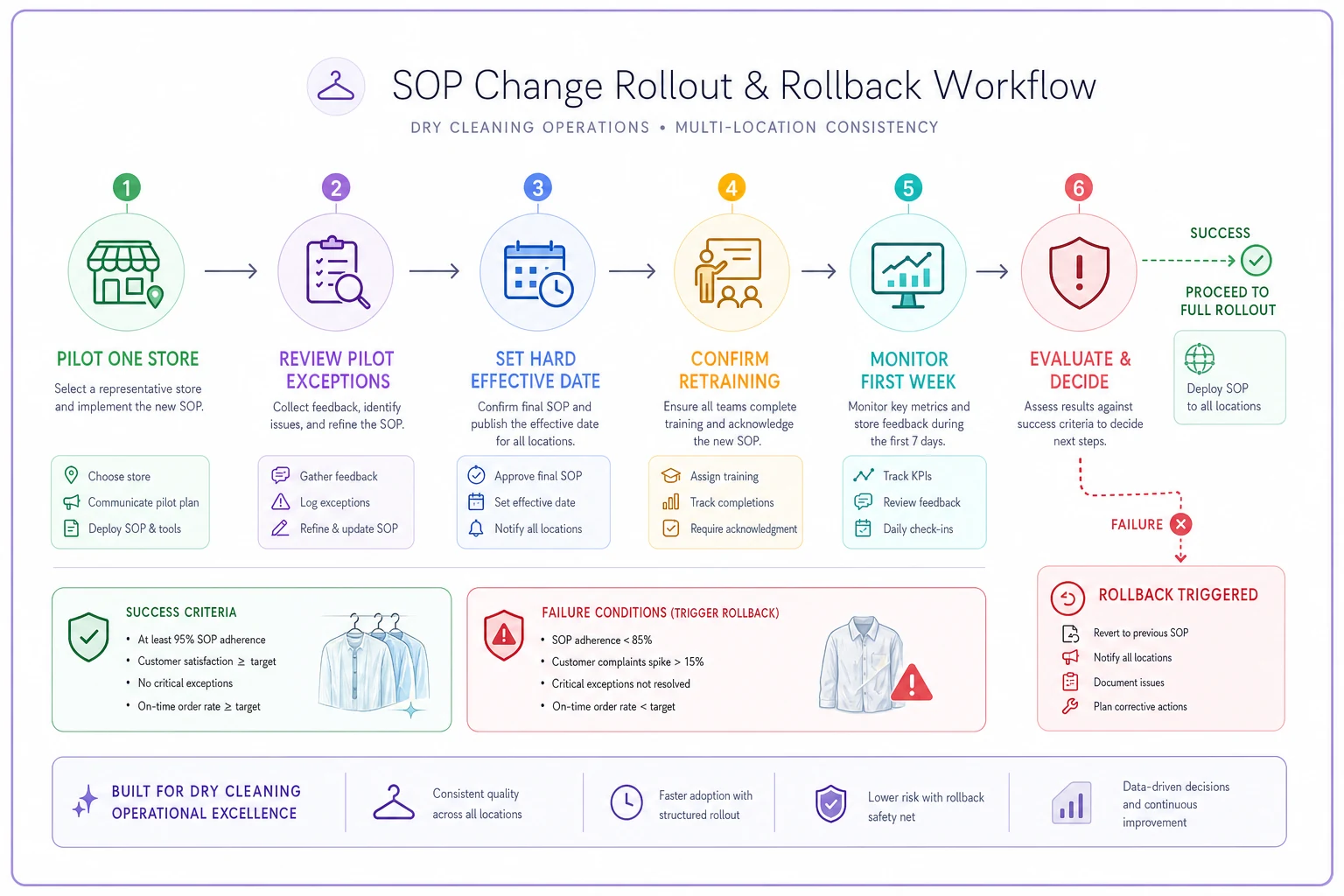
Because you kept old versions in your changelog, rolling back is immediate: reissue the prior version, pull the new cards, done. Shops that don't keep old versions can't roll back — they just limp forward with a broken procedure.
A real scenario
A three-location dry cleaner — one flagship, two satellites — kept getting inconsistent finishing complaints, mostly from the newer stores. Same equipment class, same training on paper, but the flagship's re-clean rate sat around 3% while the satellites drifted toward 7–8%. The owner assumed it was a staffing problem and nearly replaced a manager.
The actual issue showed up once they put version headers on every SOP and ran a cross-store audit. The satellites were running the pressing standard from before the last update — the change had been emailed months earlier, the flagship adopted it, the satellites never swapped their floor cards. Two versions of "correct" were coexisting in the same network.
The fix wasn't dramatic. They moved every SOP to one shared source with visible version numbers, pulled all printed cards that didn't match, ran a proper rollout with a hard effective date, and started a monthly cross-store audit. Within a couple of months the satellite re-clean rates pulled back toward the flagship's — somewhere in the 3–4% range across all three stores. The staff were never the problem. The distribution of the standard was.
When this level of governance makes sense — and when it doesn't
When it's worth it:
-
You're at two or more locations, or opening a second soon.
-
You handle corporate accounts or anything with an SLA, where proving which procedure was followed actually matters.
-
You're seeing quality drift you can't explain, or complaints clustered at specific stores.
When it's overkill:
-
A single shop where the owner is on the floor daily. Formal version control and cross-store audits are solving a problem you don't have yet. A tight QMS is enough.
-
A brand-new second location still finding its footing — stabilize the operation first, then layer governance on.
Who should hold off entirely: anyone whose base SOPs aren't solid. Governance amplifies whatever you have. If the underlying procedures are vague, versioning and auditing just help you consistently execute a bad process across more stores. Fix the content first, then govern it.
The through-line
Scaling a dry cleaning operation isn't about writing more SOPs — it's about making a small number of good ones survive distance, staffing changes, and busy floors you're not standing on. Packaging so people actually use them. Version numbers so everyone runs the same one. Clear rules for what a store can and can't adapt. A realistic audit rhythm. One place to watch exceptions. And rollout controls that let you push changes — and pull them back — without breaking a shift.
Do that, and the quality that built your first store becomes something you can copy on purpose, instead of something you hope survives the move to the next one.
Do that, and the quality that built your first store becomes something you can copy on purpose, instead of something you hope survives the move to the next one.
Ready to elevate your dry cleaning operations?
Join hundreds of dry cleaners using Pressesly to save time, reduce errors, and enhance customer satisfaction.